
Figma designs implemented in WordPress

If the design is already approved, I can turn it into a responsive, maintainable WordPress build.

I mainly work with Bricks Builder and Elementor, making sure typography, spacing, components and behavior across devices follow the visual system defined in Figma.

Figma · Bricks Builder · Elementor · WordPress

Agencies, designers and companies

Tell me about your design

Tell me where the design stands and what you need to implement. If you can, include a link to the Figma file.

I will review your design and the scope before replying.

More than a screenshot

A design that keeps working outside Figma

It is not just about reproducing a screenshot: the interface has to keep working when screen size, content and real-world conditions change.

A Figma design shows how a page should look with specific content. In WordPress, that content will change, grow and be edited by other people.

That is why, besides following the visual system, I build reusable components, global styles and consistent responsive behavior for the cases the design does not show.

The result is a website that is faithful to the approved design and ready to be maintained after launch.

Who is this service for?

This service is designed for projects where the design already exists and what is needed is a reliable WordPress build.

  1. Design and marketing agencies

    Teams that design and need a reliable WordPress developer to build their clients’ projects.

  2. Designers who need development support

    Freelance designers who want to deliver their work in WordPress without losing quality in the build.

  3. Companies with approved designs

    Businesses that already have their website design and are looking for someone to bring it into WordPress accurately.

  4. Teams extending an existing site

    Projects that need new pages or sections designed in Figma within a website that is already live.

What does implementing your design include?

Depending on the project, I can take care of the complete build or only the pages and components you need.

  1. 01

    Figma file review

    I analyze pages, components, styles and responsive versions to spot undefined cases before starting development.

  2. 02

    Design system in WordPress

    I bring typography, colors and spacing into global styles to keep the whole site consistent.

  3. 03

    Reusable components

    I build headers, cards, sections and blocks as components that can be reused and edited without breaking the design.

  4. 04

    Responsive development

    I implement the desktop, tablet and mobile versions and handle the in-between sizes the design does not show with judgment.

  5. 05

    Manageable content

    I make the content editable from WordPress so the team can update it without touching the structure.

  6. 06

    Performance

    I optimize images, assets and code during the build so visual fidelity does not hurt speed.

  7. 07

    Review and launch

    I compare the result with the design on different devices, apply the adjustments and can take part in the deployment.

  8. Have a design ready?

    I want to implement my design

What sets it apart

Faithful to the design, judgment in development

The difference between a good and a mediocre build is usually in the details: spacing that does not match, a font that changes size or a component that breaks when more text is added.

Because I also design in Figma, I understand the visual decisions behind each file and can talk to the design team in their own language.

That lets me respect the intent of the design and handle the situations that only appear during development with judgment.

  1. 01

    Visual precision

    Typography, spacing, colors and components implemented faithfully to the system defined in Figma.

  2. 02

    Real behavior

    The interface adapts to different screens and content without losing the hierarchy or consistency of the design.

  3. 03

    Maintainable development

    Global styles and reusable components that make it easy to extend and update the site later.

A complete site or new pages for your website

Complete site

I have the design for the whole website

If the site design is already approved, I can take care of the entire WordPress build: global styles, components, pages and responsive versions.

We review the file at the start to clear up questions and I work on the development in stages so you can review progress.


Implement my design

Pages or sections

I need to extend an existing site

If your website is already live and you need new pages, landing pages or sections designed in Figma, I can integrate them while respecting what already exists.

I adapt the development to the current structure and tools of the site so the new parts fit in seamlessly.

Add pages to my website

From the Figma file
to the live website

Reviewing the design before development avoids surprises and lets us resolve open cases while it is still easy to do so.

  1. 01

    We review the design

    I analyze the Figma file, the pages, the components and the available responsive versions.

  2. 02

    We clarify open cases

    We identify states, in-between sizes or content the design does not define and agree on how to handle them.

  3. 03

    We prepare the foundation

    I set up global styles, typography, colors and the main components in WordPress before building pages.

  4. 04

    We build the pages

    I build each page with the defined components and work on its behavior on every device.

  5. 05

    Review against the design

    We compare the result with Figma at different screen sizes and I apply the necessary adjustments.

  6. 06

    Delivery and launch

    We get the site ready to go live and, if needed, I continue with support or new pages.

To get started

What I need from your design

The file does not need to be perfect to get started, but a few things help make the build faster and more accurate.

If any of them is missing, we review it at the start of the project and decide together how to complete it.

  1. Desktop and mobile versions

    Ideally, both versions of the main pages. If there is only desktop, I can propose the mobile adaptation.

  2. Defined styles

    Typography, colors and spacing organized as styles or variables make it easier to bring the system into WordPress.

  3. Exportable assets

    Images, icons and logos available in the file or in a shared folder at the best possible quality.

  4. Real content

    Final texts and images, or as close as possible, to build with the content the website will actually have.

Projects built from Figma

Projects where I have implemented Figma designs in WordPress, taking care of visual fidelity, responsive behavior and performance.

See all projects
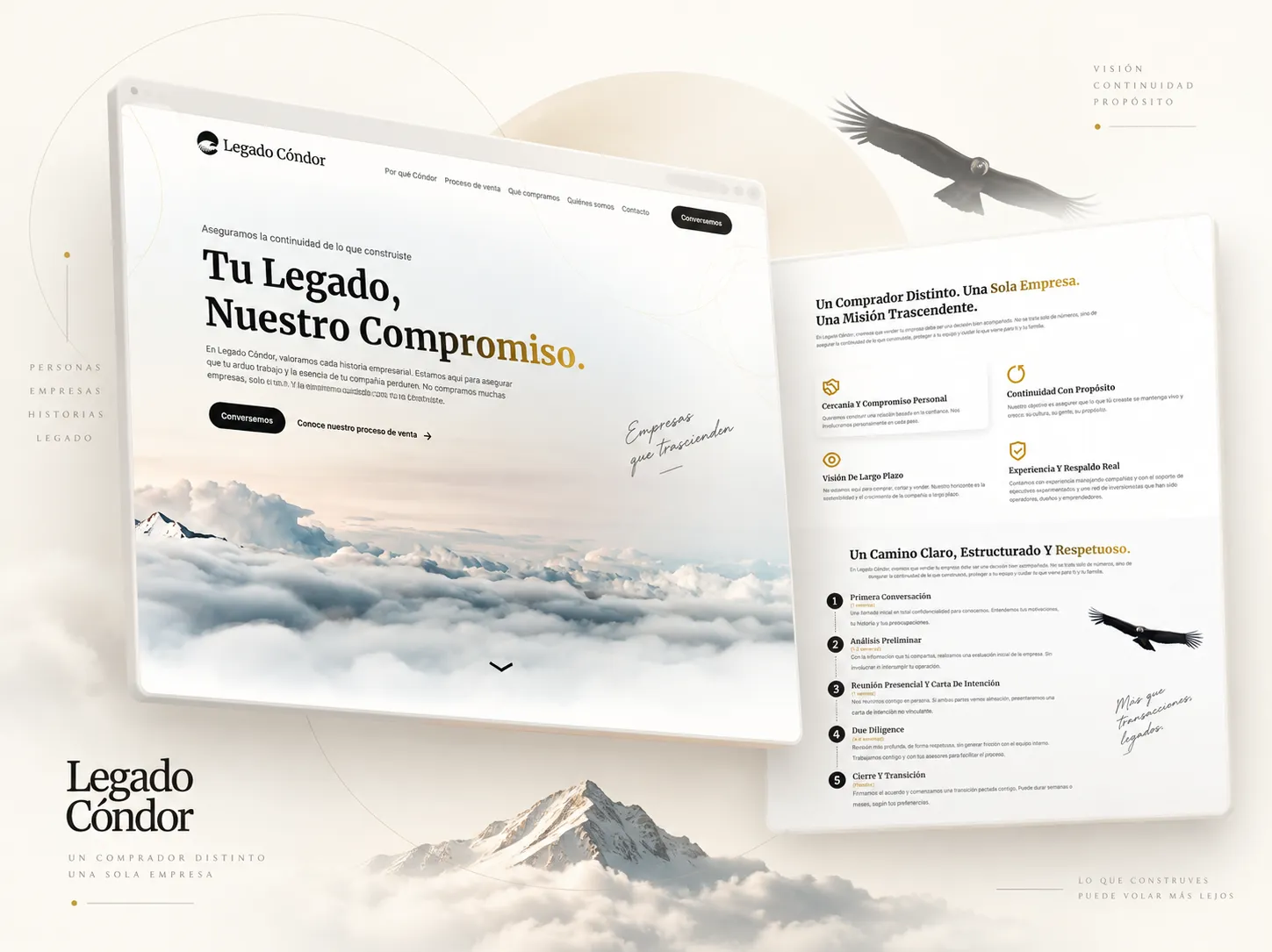
The Legado Cóndor website on desktop and mobile

Website redesign · UI/UX · WordPress · SEO setup

Legado Cóndor

  • Website Redesign
  • UI/UX
  • SEO Setup
  • WordPress

An end-to-end project that included the visual redesign of the site, responsive design in Figma and the WordPress build. I also created the new logo, set up the initial SEO and Google Search Console, and handled the move of the site to production.

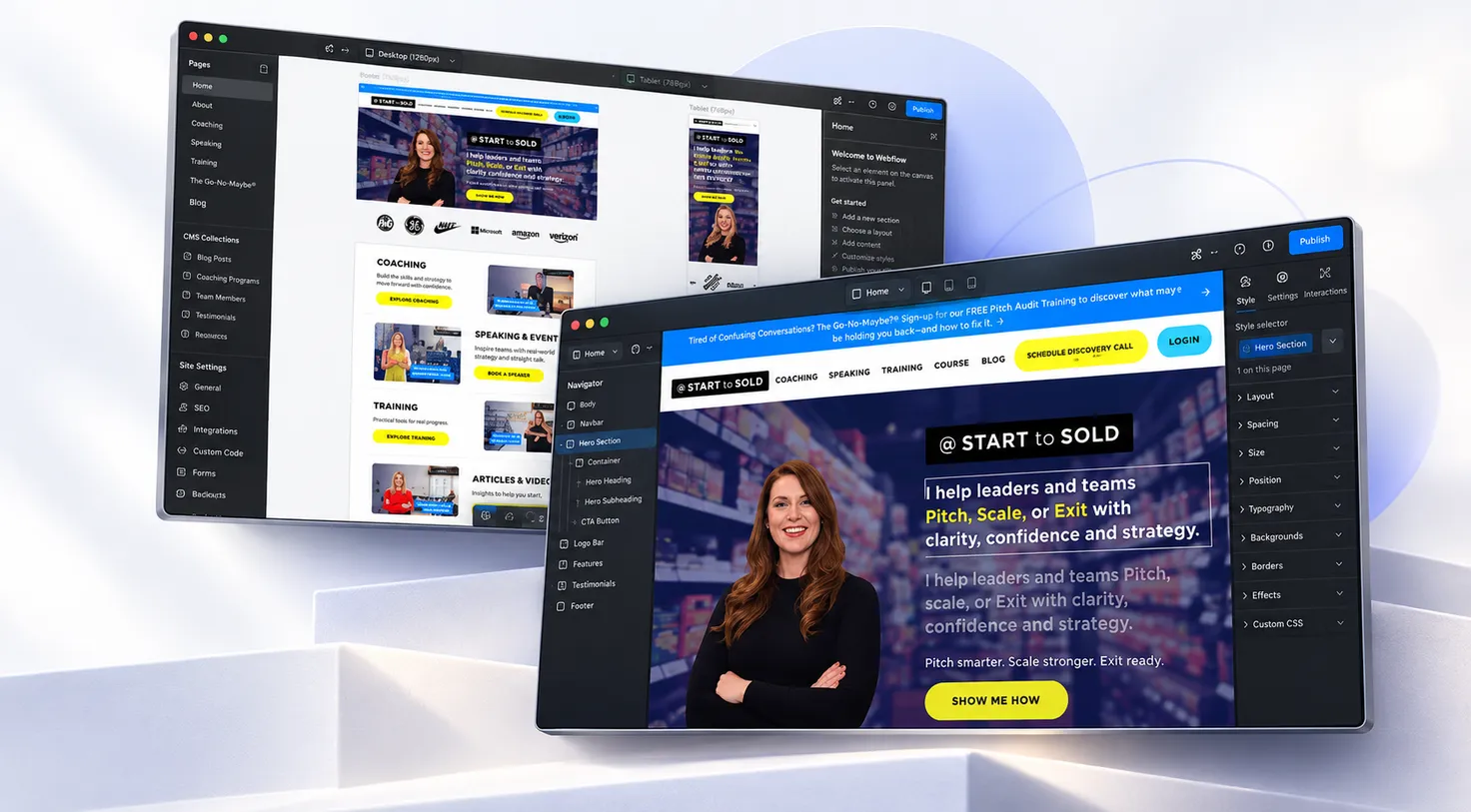
Pages of the Start to Sold website

Optimization · Figma implementation · Technical SEO

Start to Sold

  • Pixel-Perfect
  • WordPress
  • Technical SEO

An ongoing collaboration focused on improving and developing the WordPress site. The work includes building new pages from Figma designs, speed optimization and Core Web Vitals improvements to keep the site fast and ready to keep growing.

Agencies, designers and companies

A collaboration designed for design teams

Let's talk about your project
01

For agencies and designers

I can join as the person responsible for the WordPress build of your projects, working from your files and review processes.

I keep in touch with the design team during development to clear up questions before they become problems.

02

For companies

If your website design is already approved, I can bring it into WordPress and leave it ready for your team to manage.

I can also add new pages designed in Figma to your current site.

Questions about
Figma to WordPress

Which tools do you use to implement designs?

I mainly work with Bricks Builder and Elementor on WordPress. The tool is chosen based on the project, the design and how the site will be managed afterwards.

What if the design has no mobile version?

I can propose the tablet and mobile adaptation following the visual system of the design, and review it with you before signing it off.

Will the result match the design?

The goal is to accurately respect typography, spacing, colors and components. When something cannot behave the same on every screen, I let you know and we agree on the best solution.

Will I be able to edit the content afterwards?

Yes. The content is manageable from WordPress and the components are ready to be updated without breaking the design.

Can you implement a design made by another agency or designer?

Yes. It is one of the most common cases. I review the file at the start and keep in touch with whoever designed it if needed.

Can you add new pages to an existing website?

Yes. I can build new pages or sections from Figma designs and integrate them into the current site while respecting its structure.

Do you work with agencies on an ongoing basis?

Yes. I can collaborate project by project or on an ongoing basis as WordPress development support for the team.

Have a WordPress
project in mind?

Tell me what you want to build, redesign or improve. We will review your needs and find the best way to turn them into a solid, professional WordPress site that is easy to manage.