When an agency gets in touch, it almost never asks whether I can turn a Figma design into WordPress. It asks other things: whether it can trust the result to match the design its client has already approved, whether I will meet the deadline it has already promised, and whether its client will know I exist. Those are fair questions, because the agency is putting its reputation on work it is not doing itself.
In from Figma to WordPress I explained what happens technically to a design when it becomes a website. Here is the other side: how I work with agencies, step by step, so you can decide whether I am a good fit for your team.
What changes when the client is an agency
With a business, the design is usually something we shape together. With an agency, the design is already approved and my job is to respect it, not reinterpret it. On top of that, three things carry much more weight:
- The deadline is already promised. The agency gave its client a date before talking to me. That is why I need to see the file before confirming anything.
- The client relationship belongs to the agency. I stay out of sight. Deliveries, demos and communication with the end client go through your team.
- Someone else will maintain the website. Sometimes it is your team, sometimes the client, sometimes it comes back to me. Either way, the site has to be editable without calling the developer for every change.
White-label and confidentiality
I work white-label: as far as your client is concerned, your agency built the website. I do not put my name on the site or in the code, and I do not contact the end client.
If you need it, I sign a non-disclosure agreement (NDA) before you share designs, logins or client information. It is standard practice when working with third-party data, and I prefer to have it settled from the start.
How I work, step by step
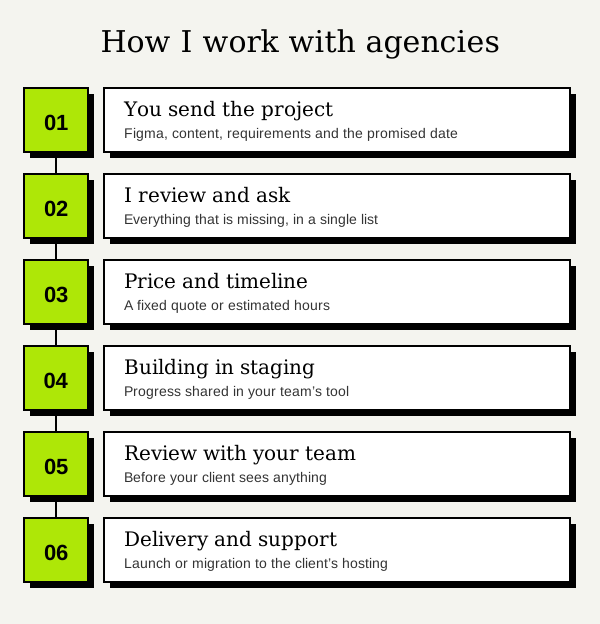
1. You send me the project
You share the link to the Figma file, whatever content you have, the requirements (forms, languages, integrations) and the date you gave your client.
2. I review the design and ask before starting
I go through the whole file: pages, components, styles and responsive versions. I note what is missing (the mobile version of a section, a button state, what happens when a headline is long) and send you all the questions at once. It is much cheaper to sort it out here than with the site half built.
3. I send you a price and timeline
Once the scope is clear, I send you a fixed quote with a delivery date, or estimated hours if we work on an ongoing basis. That way you can quote your client knowing exactly what the development costs you.
4. I build in a staging environment
I build the website in a staging environment, not on the client’s live site. I share progress in the tool your team already uses: Slack, ClickUp, Trello, Asana, Jira or whatever it is. You do not have to learn mine.
5. Review with your team
Your team reviews the result before the client sees anything. I apply the adjustments you or your client ask for. The rounds of adjustments included are written into the quote, so you know from the start what the price covers.
6. Delivery and support
I launch the website or migrate it to your client’s hosting, and stay available for later changes.
What I need the Figma file to include
The file does not have to be perfect, but these things save days of back and forth:
- A mobile version, at the very least. If there is only desktop, someone has to invent mobile, and it is better if the person who designed it decides.
- Defined styles and components. Colors, typography and buttons created once and reused.
- Element states: hover, form errors, open menus.
- Real content, or as close as possible. A real headline shows whether the design holds up.
- Exportable images and icons, with clear licensing.
If some of this is missing, that is fine: I catch it in the review in step 2 and we decide together before starting.
Bricks Builder or Elementor, with good judgment
I work mainly with Bricks Builder and Elementor. If your agency already uses one, I adapt. If not, I recommend the one that best fits the project and whoever will edit the site afterwards; I go into more detail in Bricks Builder vs Elementor.
With either one, the difference is in how the site is built. I move typography, colors and spacing into global styles, build headers, cards and sections as reusable components, and avoid one-off tweaks on individual elements. A website built this way can be extended months later without anything breaking, and that matters as much to your agency as it does to your client.
I also take care of performance from the start: properly sized images and little leftover code. A site identical to the design that takes five seconds to load has not done its job. If you are interested, I explain it in why is my WordPress site slow.
Hours and language
I work from Ecuador (UTC−5). With teams 3 or 4 hours apart, we overlap for most of the working day. Communication, documentation and deliveries can be in English or Spanish.
What it costs: fixed price or hourly
I work in two ways, depending on the kind of work:
- Fixed-price project. For projects with a clear scope: you send me the design and requirements, and I send you a fixed quote with price and timeline.
- Ongoing collaboration. For agencies with recurring work: changes, maintenance or extra capacity when you need it. I work hourly at 20 USD/h and report the hours spent on each task.
If you want a rough idea before getting in touch, the pricing page has ranges and an estimator. As for timelines, a landing page usually takes 1 to 2 weeks and a business website between 2 and 8 weeks, depending on its size; I give you the exact timeline after reviewing the file.
A real example
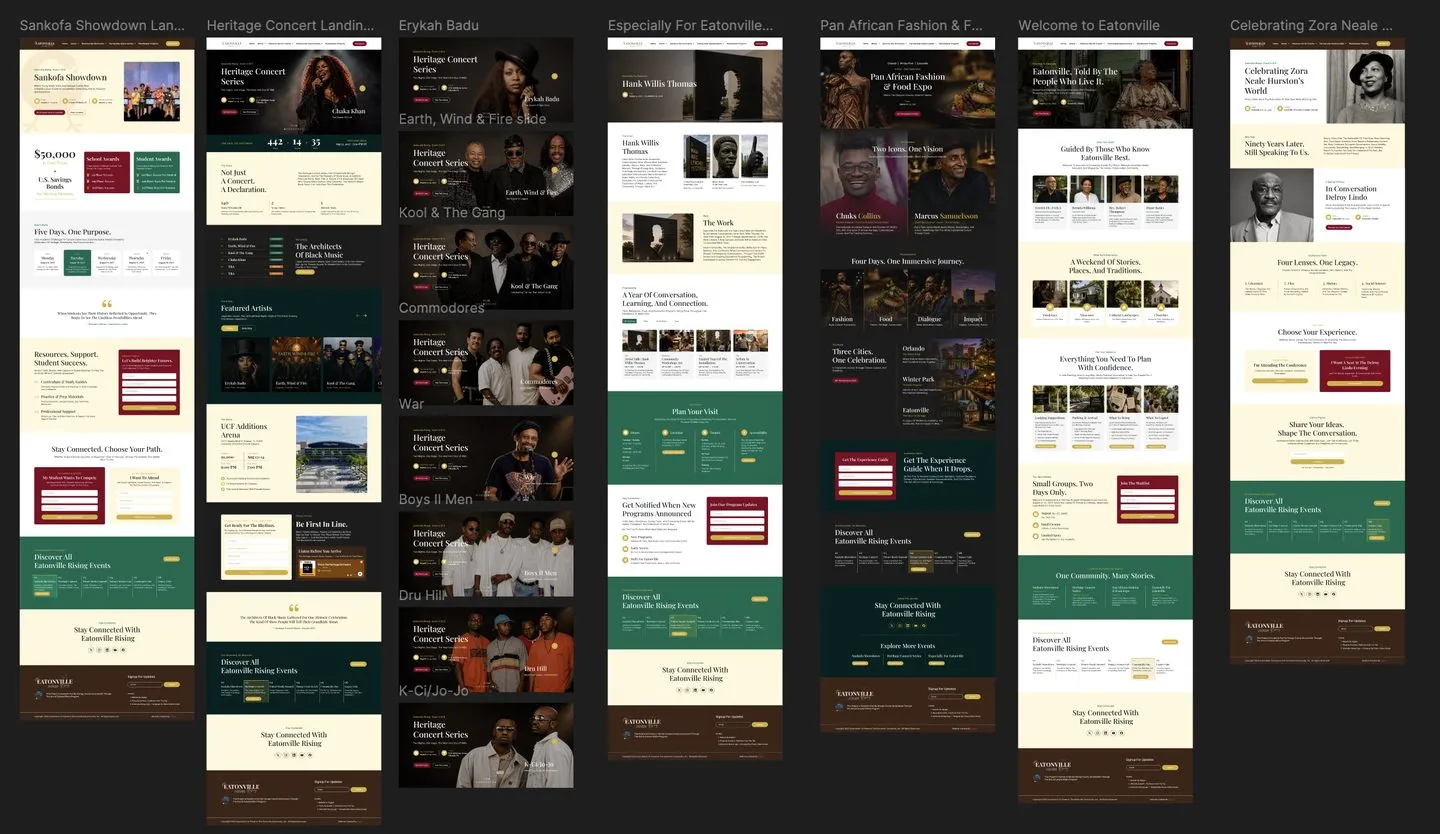
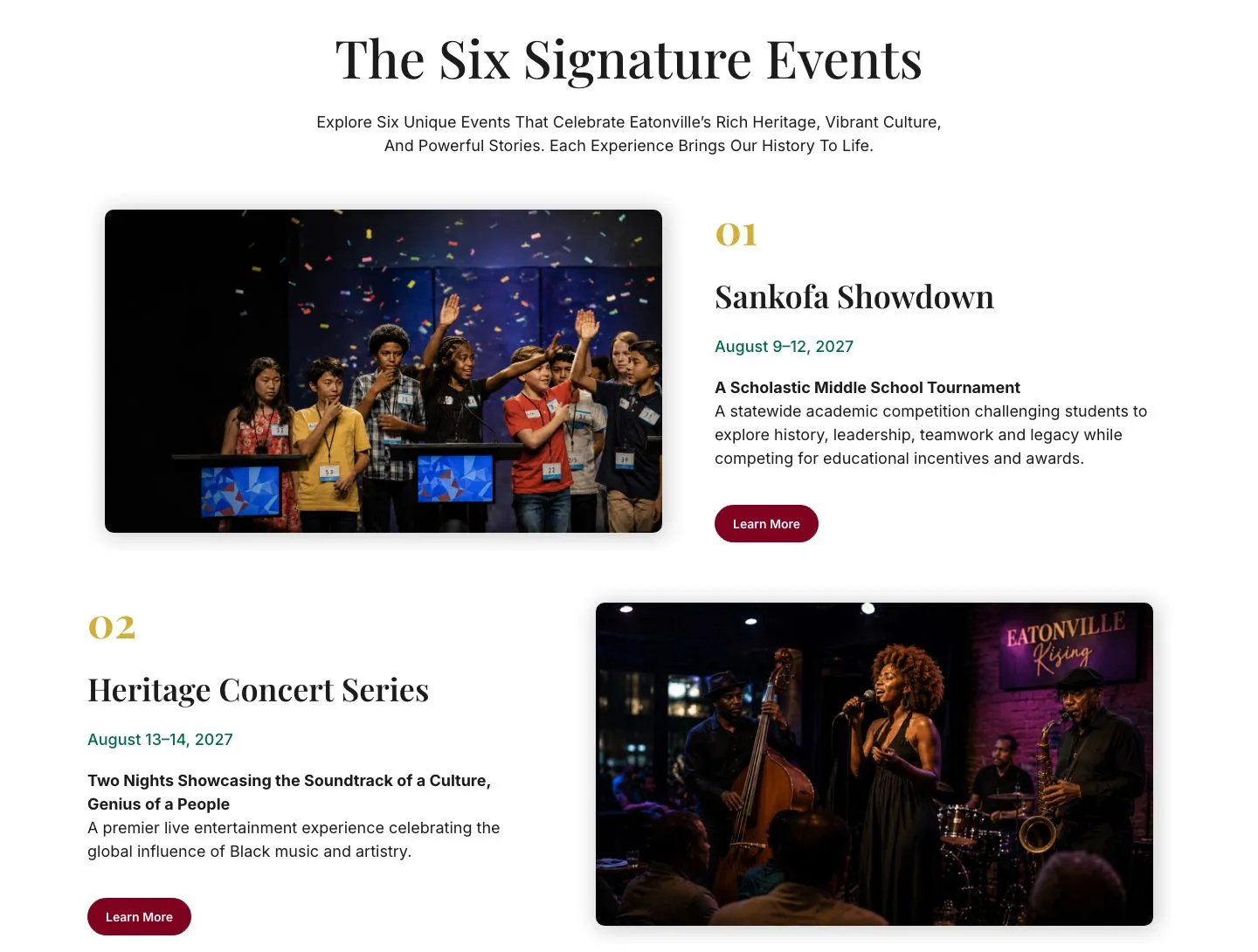
On Eatonville Rising I work with the agency Digigor: their team designs each page in Figma and I bring it to WordPress with Elementor, true to the design and responsive, as an ongoing collaboration. The site celebrates Eatonville’s 140th anniversary, with a page for each of its six events.
On Start to Sold the collaboration is ongoing too: I build new pages from Figma designs and improve the site’s speed and Core Web Vitals.
Got a project in the queue?
If your agency has more designs than hands, send me the link to the Figma file and the date you have promised. I review it before replying and tell you honestly what I see, what is missing and what it would cost. You can see all the details in WordPress development for agencies and in the Figma to WordPress service.
Frequently asked questions
Will my client know you work with me?
No, unless you want them to. I work white-label and do not contact your end client.
Do you sign an NDA?
Yes. I can sign it before you share the design or any client information.
Do you only work with Bricks Builder and Elementor?
They are the ones I use most to build Figma designs in WordPress. If your agency works with another builder, tell me which one and we will look at it.
Can you also handle launch and maintenance?
Yes. I launch the website or migrate it to your client’s hosting, and I can keep handling changes and maintenance as an ongoing collaboration.
Need help with this?


About the author
Learn more about me →