It is one of the questions I get most often before starting a project: Bricks Builder or Elementor? I work with both, on projects for direct clients and for agencies, so I can tell you what I see in practice and not just what their sales pages say.
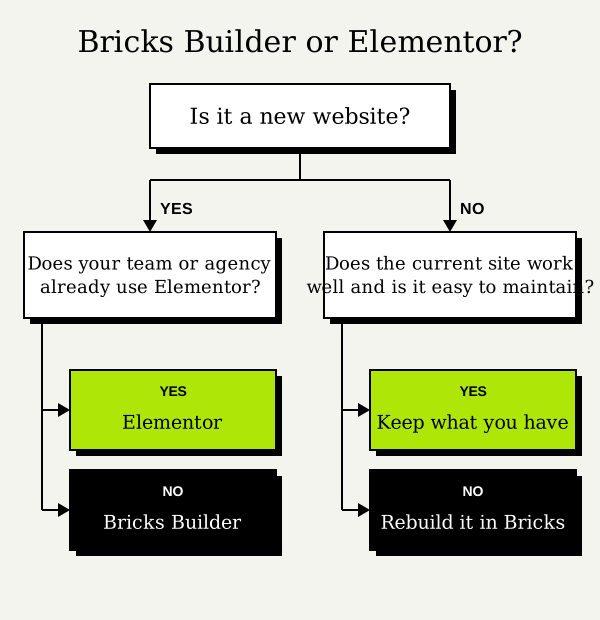
The short answer: for a new website I usually recommend Bricks Builder; if your team or agency already works with Elementor, it normally makes sense to stay with Elementor. Here is why.
What they are and how they differ
Both are visual builders: they let you design and edit WordPress pages by dragging elements, without writing code. The difference is in how they are built and the result they produce.
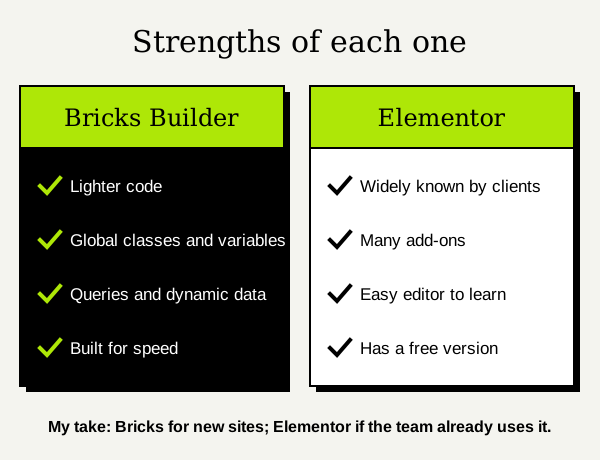
- Elementor is a plugin that works with almost any theme. It has a free version and a paid one (Pro) with the theme builder, forms and popups. It is the most widespread: many clients and agencies already know it.
- Bricks Builder is a WordPress theme with the builder included. It has no free version and its learning curve is somewhat steeper, but it is designed from the start to produce clean code and to work with global classes and variables, the way professional web development is done.
Code and speed
This is the most important difference for me. Bricks produces cleaner HTML, with fewer layers of containers around each element, and loads less CSS and JavaScript on each page. That shows in speed metrics and in Core Web Vitals.
Elementor has improved a lot with flexbox containers and the optimizations in its recent versions, and a well-built Elementor site can be fast. But it starts heavier and needs more care: it is easy to end up with containers inside containers, loose styles on each widget and several add-ons loading their own files.
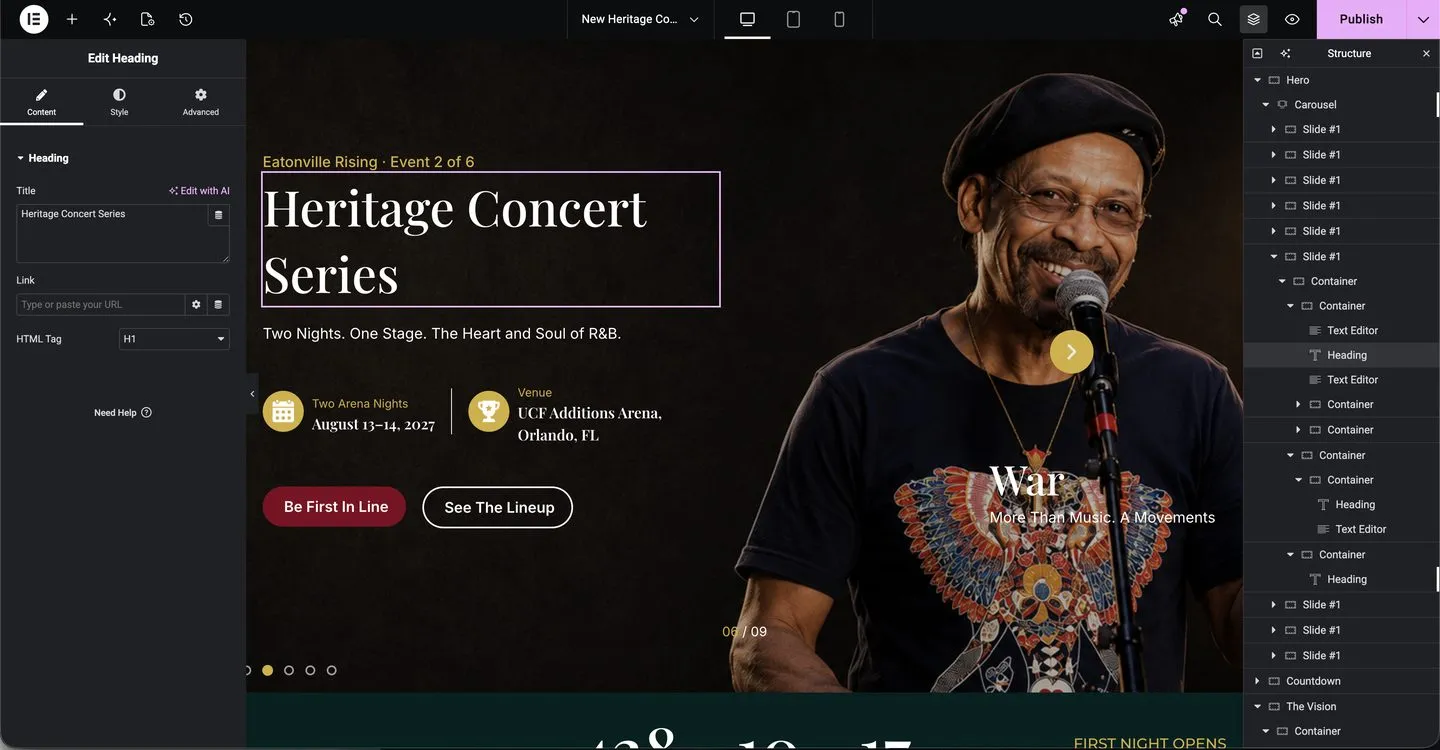
The screenshot shows the Elementor editor during the development of Eatonville Rising, a project with the agency Digigor. The panel on the right shows how a section is organized: containers inside containers down to the heading or the text. Keeping them well organized is half the work of making a site fast and easy to maintain.
Ease of use for whoever edits the site
If the person updating the website is not technical, Elementor has the edge: its editor is very intuitive and there are countless tutorials. Bricks also makes it easy to edit text and images, but its panel has more development options and feels more intimidating at first.
In practice, on the websites I deliver I leave the content ready to be edited without touching the structure, whatever the builder. I explain it in the article on how to turn a Figma design into a WordPress website.
Long-term maintenance
A website is not finished when it goes live. Over time pages are added, colors change, plugins get updated. Here Bricks has the advantage: because it works with global classes and variables, changing a style in one place changes it across the whole site.
With Elementor you can also define global colors and fonts, but many sites end up with settings made widget by widget, and every design change turns into checking page after page. That is not the tool’s fault but how it is used, but Elementor makes it easier to happen.
Why I recommend Bricks for new projects
When I start a website from scratch and there is no reason to use another tool, I choose Bricks Builder because:
- The site starts lighter and it is easier to get good speed scores.
- I can build a design system with classes and variables, as in Figma, and keep it consistent.
- It has built-in queries and dynamic data, without depending on several add-ons.
- There are fewer third-party plugins to update that could break.
That is how, for example, the website of composer Tristan Bechet is built: an image-heavy landing page with videos hosted on Cloudinary so they do not weigh down the site.

When I stay with Elementor
I do not switch tools for the sake of it. I stay with Elementor when:
- The agency or team already works with Elementor. Their designers and their client know it, and changing it would create more problems than benefits. That is the case with Eatonville Rising.
- The site is already built with Elementor and works well. If it loads fast and is easy to maintain, there is no reason to rebuild it.
- The client wants to edit a lot on their own and is already used to Elementor.
Is it worth moving from Elementor to Bricks?
Only if there is a problem that justifies it: the site is slow and optimization is not enough, or it has become so hard to maintain that every change takes hours. In that case, rebuilding it in Bricks with the same design and the same URLs can pay off more than continuing to patch it. I do it as part of my WordPress migration service, making sure rankings are not lost.
If your Elementor site just needs to be faster, WordPress speed optimization may be enough without changing builders.
In short
| Bricks Builder | Elementor | |
|---|---|---|
| What it is | Theme with a builder | Plugin for almost any theme |
| Code and speed | Lighter | Heavier, needs more care |
| Ease of use | More technical at first | Very intuitive |
| Maintenance | Global classes and variables | Depends on how it is built |
| I choose it when | The site is new | The team already uses it |
If you are starting a website and do not know which one to use, or you have a Figma design to turn into WordPress, tell me about your project and I will tell you what I would use in your case.
Need help with this?


About the author
Learn more about me →